Configuring Settings
Branding, payment instructions, and email/SMS notification preferences.
Settings covers everything account-wide: how your business shows up to tenants, how tenants pay you, and how notifications get delivered.
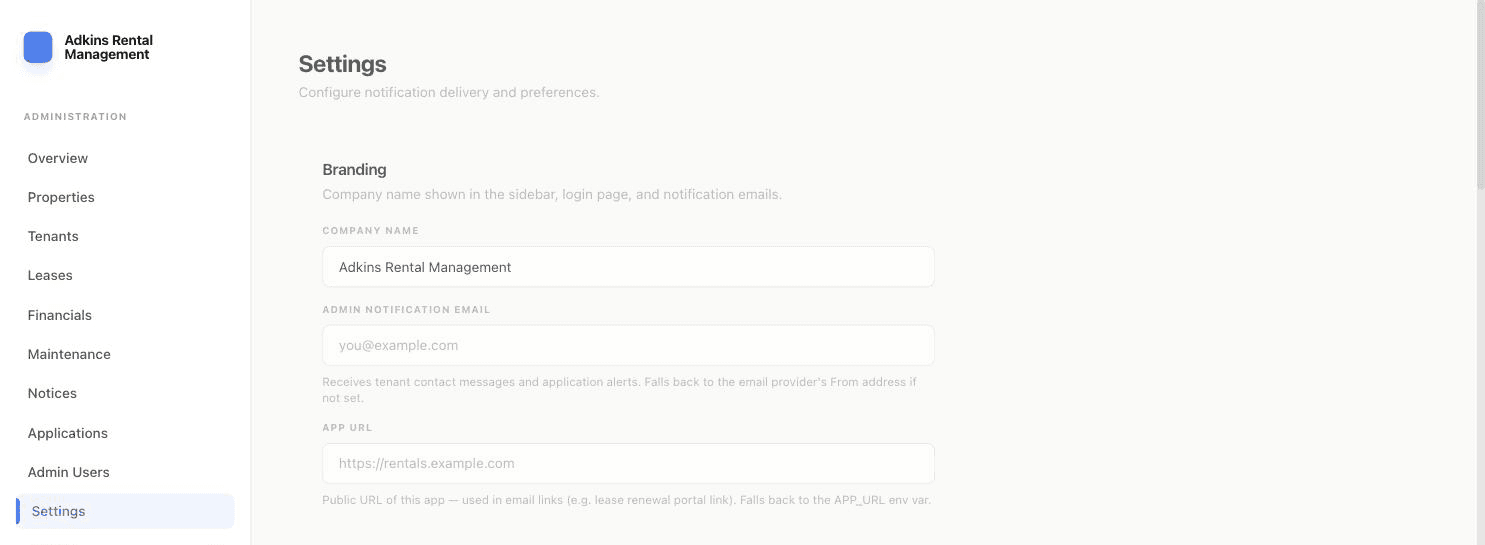
Branding
- Company Name — shown in the sidebar, login page, and every notification email.
- Admin Notification Email — where tenant contact messages and application alerts get sent. Leave it blank and it falls back to your email provider's From address.
- App URL — the public URL of your site, used to build links inside emails (like the lease renewal link a tenant clicks).
Payment Instructions
Zelle, Venmo, Cash App, and a free-text Cash/Money Order note — these are exactly what your tenants see on their dashboard and payments page under "How to Pay Rent." Keep these current; it's the main way tenants know how to actually pay you outside of a card/bank payment.
Email & SMS providers
Choose which provider is active — Resend, SendGrid, or SMTP for email; Twilio for SMS. Each shows a Configured / Not Configured badge based on whether the required API keys are set on the server (that part happens outside this UI, in your server's environment variables) — this page just tells you what's ready and lets you pick which one to use.
Notification toggles
Turn Payment Receipts, Maintenance Updates, Rent Reminders, and Move-out Notifications on or off independently for email and (if configured) SMS.
Don't forget to click Save Settings at the bottom — it saves Branding, Payment Instructions, and both provider/ notification sections together in one request.